Follow us on Twitter

Installing FTP Publisher

Unzip the download. You should now have a plugin called 'FTPPublisher.lrplugin' containing the plugin files. If your unzip program didn't keep this parent directory, then you should create it and copy your unzipped files into it.

  1. Move FTPPublisher.lrplugin to a convenient location of your own choosing.
  2. Open Lightroom's plugin manager from the File menu.
  3. Click the "Add" button.
  4. Browse to the plugin and click "OK" on a Mac or "Add plugin" on a PC.

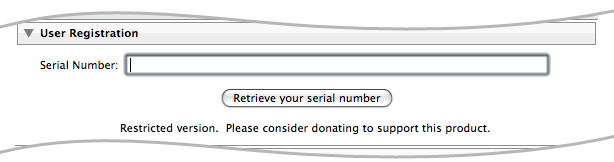
If you have donated towards the plugin you should unlock the trial version using the registration code that you should have received.

  1. Open the plugin manager from the File menu.
  2. Choose "FTP Publisher" from the list of plugins.
  3. Enter your registation code into the User Registration section

Pricing and Payment

You may download and try the plugin for free, subject to its trial limitations. To unlock the full functionality you will need to buy a copy.

Payments may be made via credit card, and are securely processed via PayPal.

£10.00

Please note that sales tax of 20% will be added for European customers.

Approx:

US $15.13
11.69

Lost your registration?