Follow us on Twitter

Quick Guide

Usage

When you open the Library module and display the right panel, Metadata section is shown towards the bottom of the panel. To use the new features:

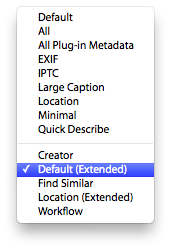
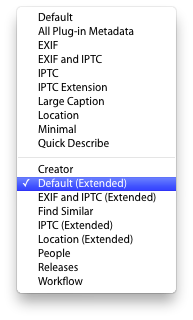
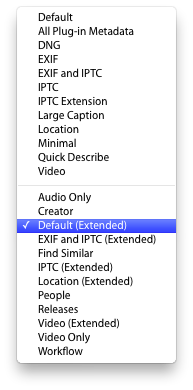
  1. Select the drop down list showing available tagsets (depicted above).
  2. Choose one of the new tagsets at the bottom of the list. For example, the Default (Extended) tagset.

The list of tagsets to choose from will vary depending upon the version of Lightroom being used.

Lightroom 2

Metadata Panels Lightroom 2 tagset list

Lightroom 3

Metadata Panels Lightroom 3 tagset list

Lightroom 4

Metadata Panels Lightroom 4 tagset list

This is a donationware product. To unlock the full functionality the author requests that you make a donation to support future development.

Payments may be made via credit card, and are securely processed via PayPal.


How much would you like to donate (British pounds)?

£  

Approx:

US $-
-

Please note that sales tax of 20% will be added for European customers.

Lost your registration?