LR/EnfuseLR/Enfuse is a Lightroom plugin that allows you to blend multiple exposures together directly from within Lightroom by using the open source Enfuse application. With LR/Enfuse you can:
With LR/Enfuse, simply select the images that need blending together and choose "Blend exposures using LR/Enfuse..." from the 'Plug-in Extras' menu. LR/Enfuse on the webLR/Enfuse is used by people all over the world. Here are some interesting articles:
Interior ExampleThese four images of the Basilique of Lyon (France) were taken on a tripod, using different shutter speeds to vary the exposure. The darkest image is correctly exposed for the stained glass window, and the lightest is exposed for the interior of the church. It would be ideal if we had an even lighter image, but we can sort this our in Lightroom later. 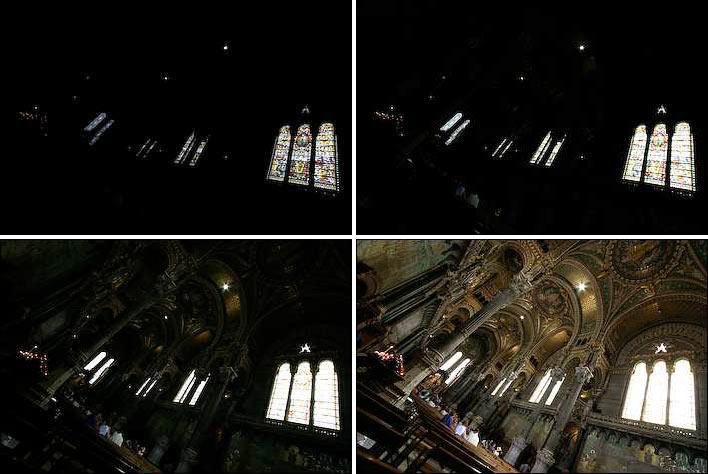 The images were selected in Lightroom, and LR/Enfuse was run from the file menu with the default settings. The result is a very natural looking blending of the images. It's slightly dark because our lightest image was still a little underexposed for the shadows. 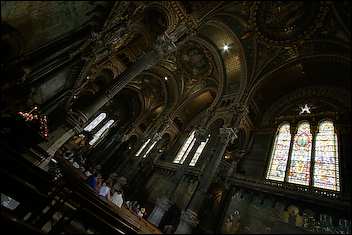 Finally, the image is re-imported into Lightroom and a little fill-light applied. 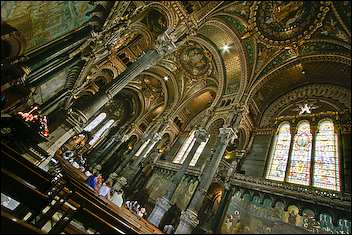 Landscape ExamplePhotographer José Fernández took these three images that together captured the dynamic range of this beautiful landscape. 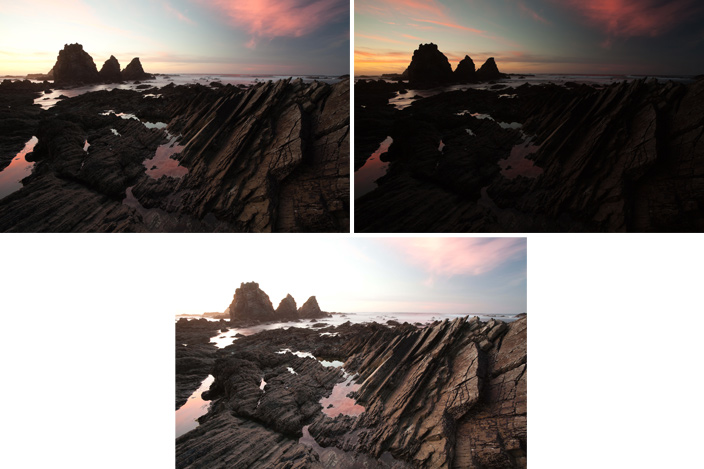 The images were selected in Lightroom, and LR/Enfuse was run from the file menu with the default settings to create a very natural looking blend of the images from which José could then create the final look he was after. 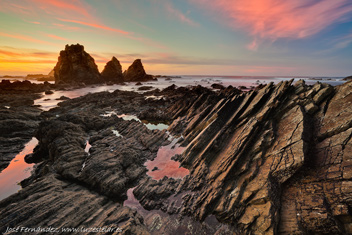 You can see more of José's Enfused landscape images on our blog. Star Trail ExampleScott Martin from Onsight kindly provided us with this example of blended star trails. Four photos from the sequence are shown here, the first of which was light-painted. 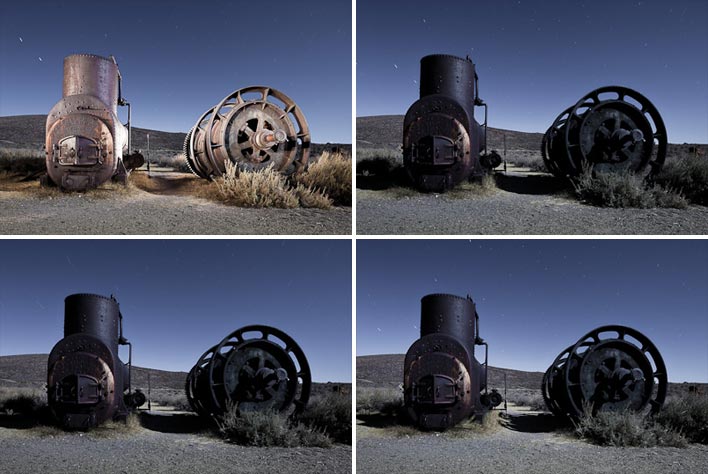 The above images (amongst others) were selected in Lightroom, and LR/Enfuse was run to create a blended image. 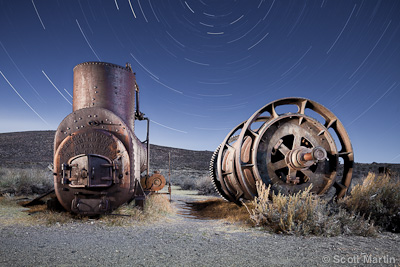 “The '1878 Prescott Boiler and Spools' image above was made under the light of a full moon and involved lots of light painting with flashlights from multiple angles. The moonlight and depth of field required an exposure of 4 minutes at f.11 at 200 ISO. The stars, however, required a very different exposure of several hours at f5.6. Clearly, the only way of capturing this scene with long star trails was to utilize image stacking. LR/Enfuse not only led to better results than other methods, the speed, ease of use and ability to stay within Lightroom without launching other applications was hugely advantageous.” — Scott Martin You can read more about the making of these images in Lance Keimig and Scott Martin's new Night Photography book. Scott and Lance also teach star trail image stacking technique with LR/Enfuse at their week-long night photography workshops. Donating and UpdatesThe trial version limits the output size to 500px, and donating towards this project will give you a registration code that will remove this restriction. All future updates are free. |
